
Event Description
About this Session
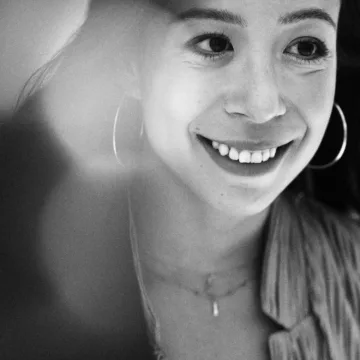
Interested in taking your memoir to the next level? Join us for an informal Q&A session on our Memoir Incubator program. Instructor Kayla Degala-Paraíso and alumni of the program will be there to answer any questions you have about the Memoir Incubator program. We'll give you all the information you need to know about the application process, what the program entails, the schedule, the philosophy behind our approach, and anything else on your mind. To find out more about the program, click here.
Applications for the 2026-2027 Memoir Incubator will open on Dec. 8, 2025! The application deadline is February 18th, 2026, by 11:59PM EST. All applicants can expect to hear from us by early April 2026.
Please note: The upcoming round of the Memoir Incubator will take place on Zoom.
Exciting program update: As part of GrubStreet’s ongoing mission to make creative writing programs more accessible, this year’s Memoir Incubator includes key changes—lower tuition, smaller class size, and more time between sessions to balance peer feedback with individual writing. These updates are designed to make the program more flexible and sustainable for writers at every stage. For questions about these changes, visit our FAQ page or reach out to [email protected].
This class will take place using Zoom videoconferencing. After registering, a yellow Resources tab will appear in this section containing a link to join class. Please note that you will need to be logged into view the Resources tab.
Zoom Participation:
In our experience, the intimate nature of a writing workshop benefits from on-camera participation. Students are of course welcome to turn their camera off whenever they need to, but it is a community norm for cameras to be on most of the time. You can learn more about using Zoom here.
Zoom Accessibility:
You can enable closed captioning at any time during the meeting by clicking the CC button at the bottom of the screen. If you'd like to access the transcript after class, please make sure to let your instructor ahead of time that you'd like a copy.